
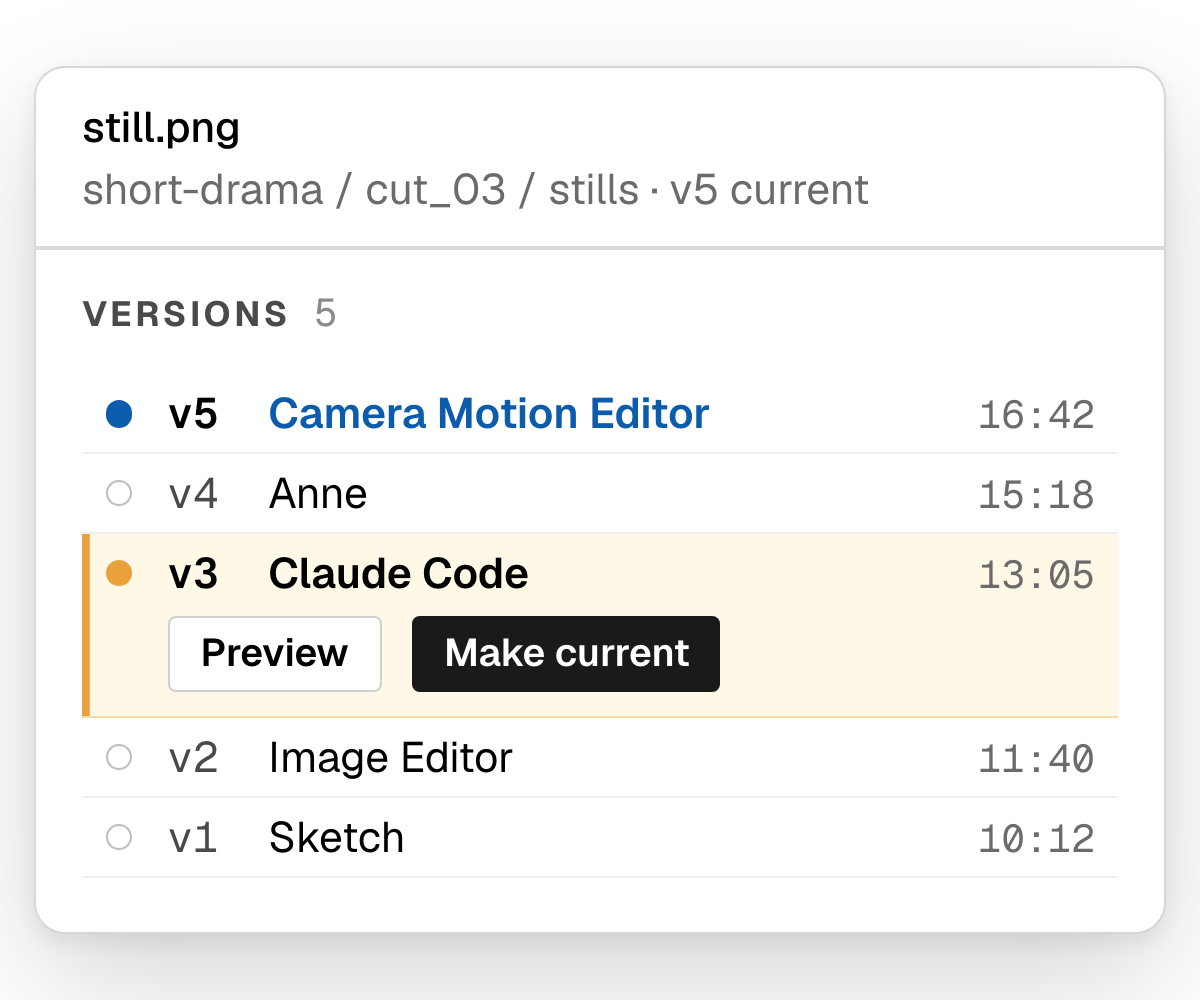
Every version of every file
See who made each version, in which app or by which agent, and make any of them current.
Spin up Claude Code sessions that stay alive after you close your laptop.
Create quick one‑off apps for edits and review.
Share your apps and Claude Code sessions with your team.
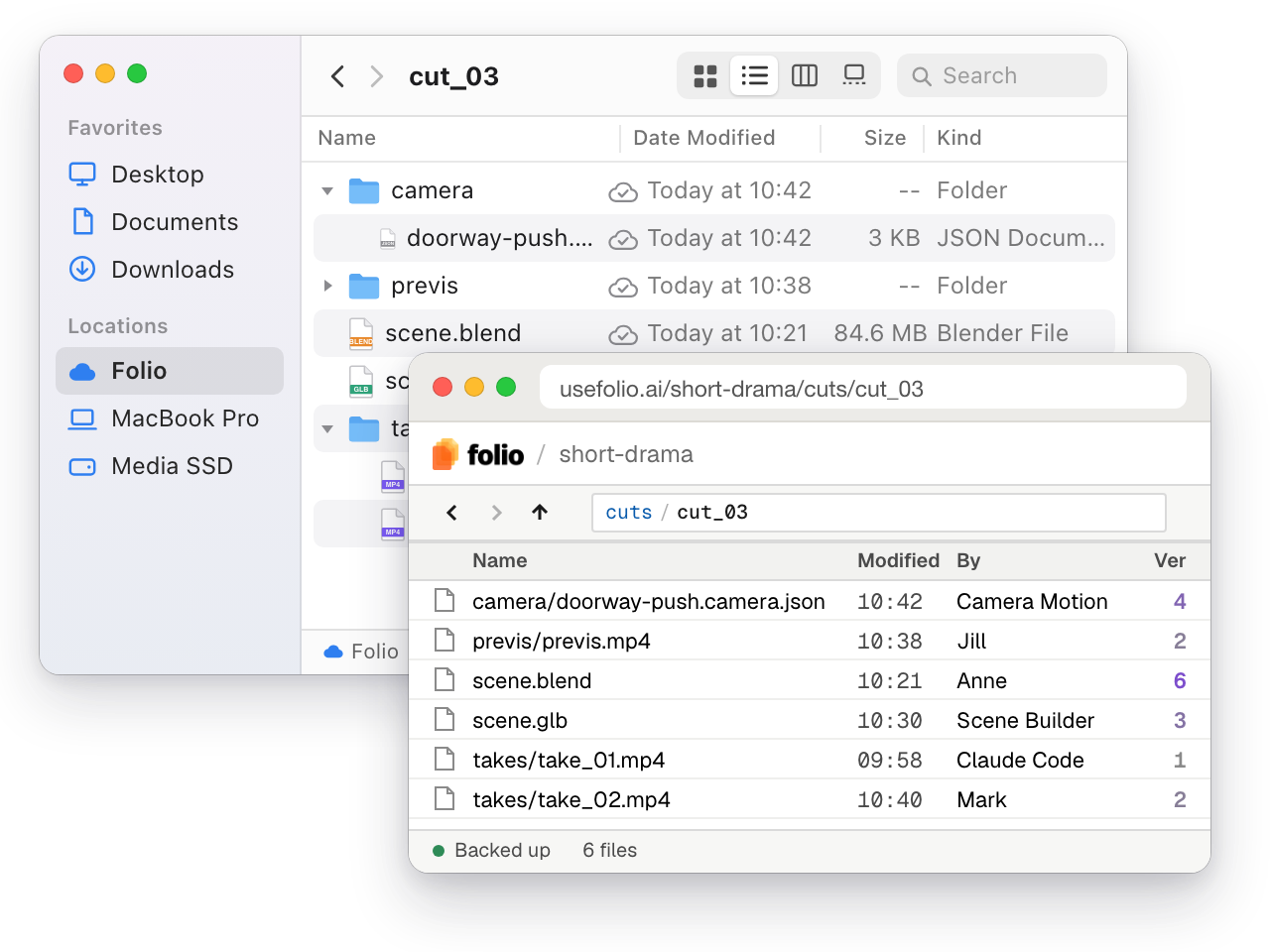
Save everything in a versioned, cloud drive.
You don't need to worry about keeping your laptop on. Folio runs Claude Code, Codex and other agent harnesses on remote computers so that your work always finishes.
All your apps and terminal sessions live in the Folio cloud workspace.
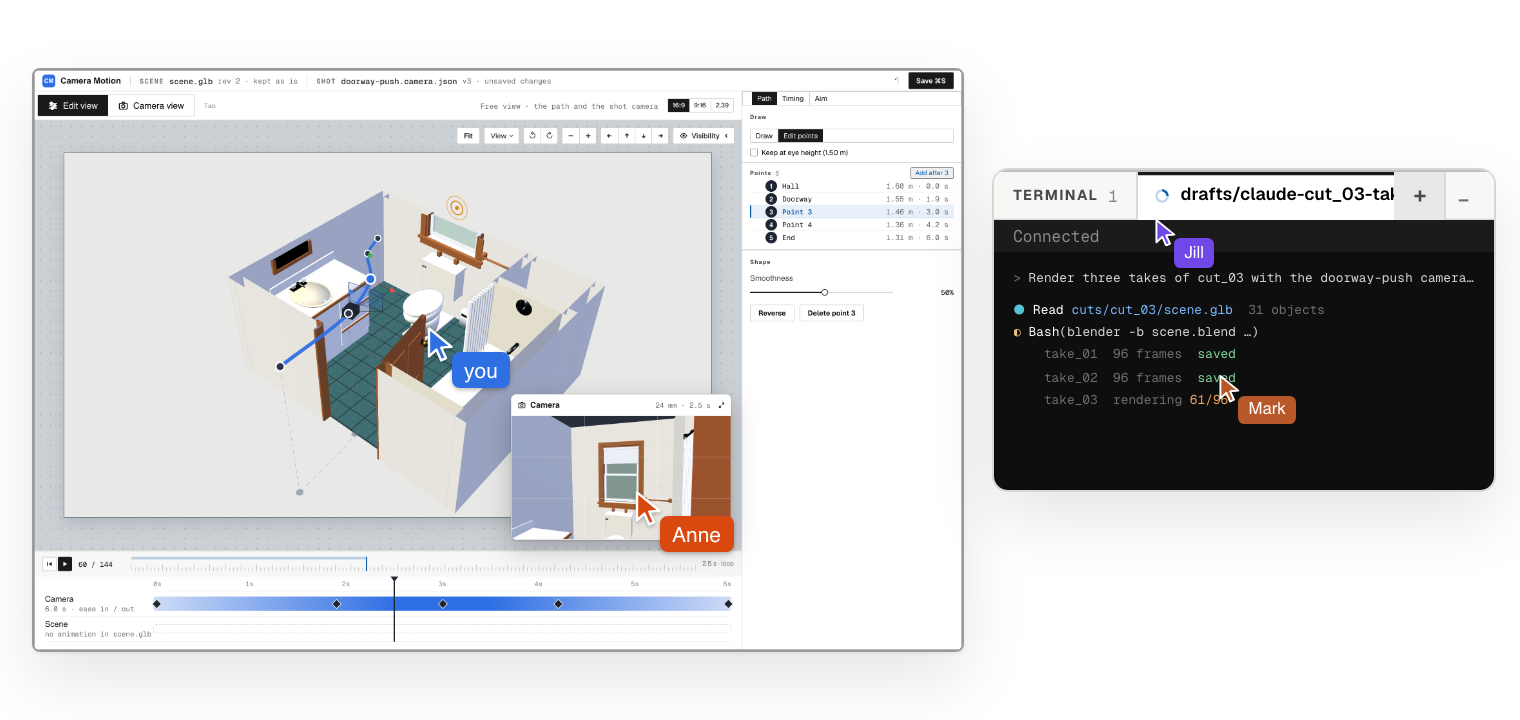
See every version of a file, branch a whole workstream and merge it when it's right, with your teammates and with your agents.
See who made each version, in which app or by which agent, and make any of them current.
Teams create content in increasingly diverse ways: visual workflow engines, custom-built applications, AI agents and an ever-expanding ecosystem of third-party tools. Collaborators can make real-time edits or work in the background, often in parallel. Work can start on local computers and continue on remote machines. This creates unprecedented fragmentation.
Files are backed up by default. Accessible from anywhere. Use your browser or mount the shared drive on your laptop.
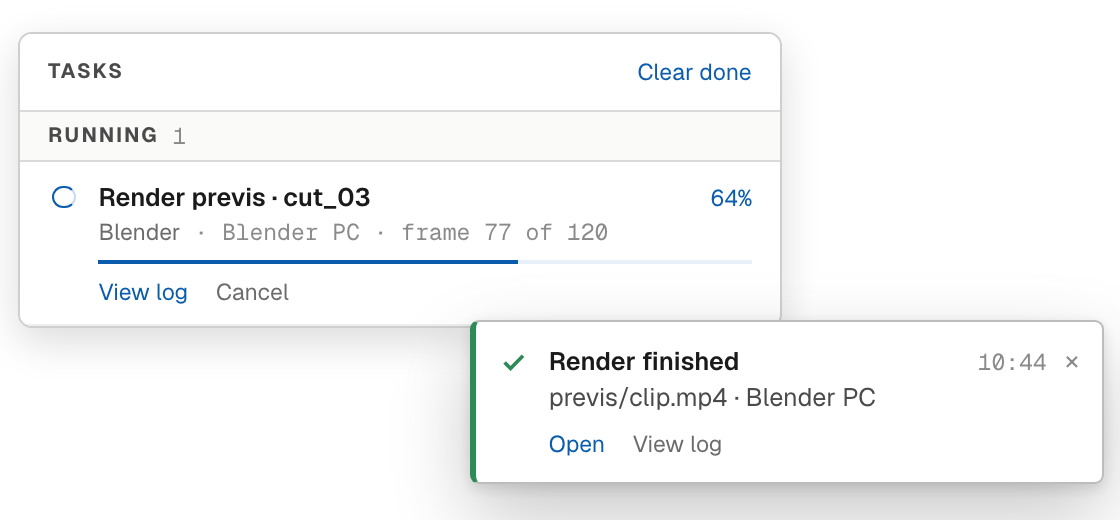
All apps get background jobs by default. No extra code needed.
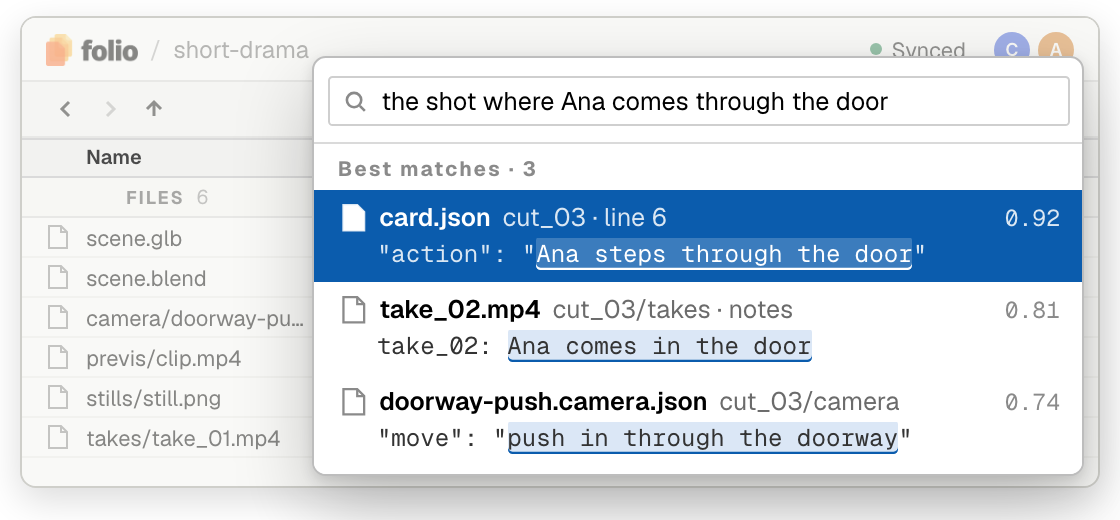
Find your files with semantic search.
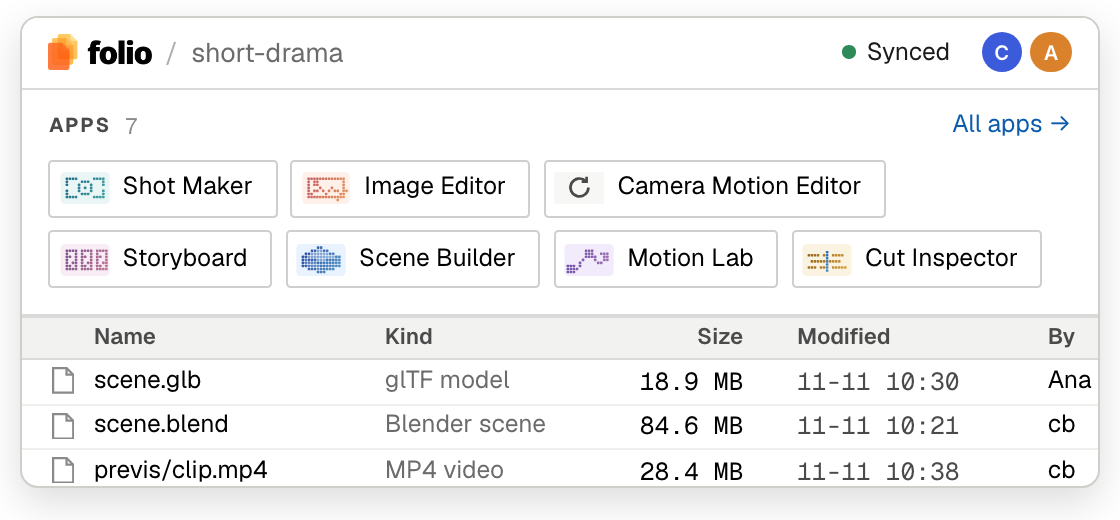
Bring all your team's apps into the workspace.
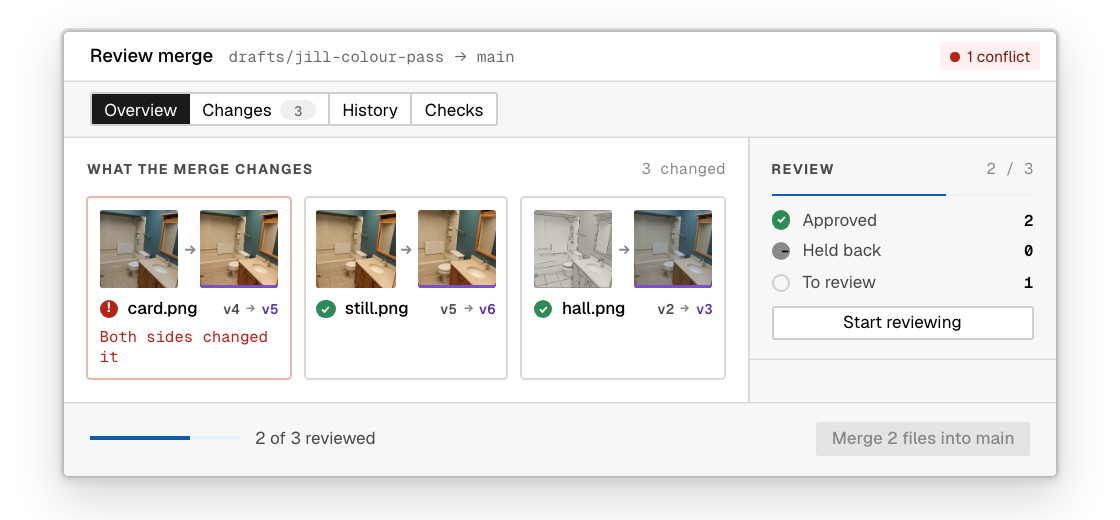
Review and merge batches of work, not just individual files.
Secure your spot on the waitlist.
build status · not part of the page
rendered from content/site.json · generated from folio_website_content.xlsx · re-run scripts/xlsx_to_json.py after editing the workbook


